ZMPlugin
ZMPlugin
Description
ZMPlugin is the official companion plugin for ZuestMedia WordPress themes such as Corporate and Modular.
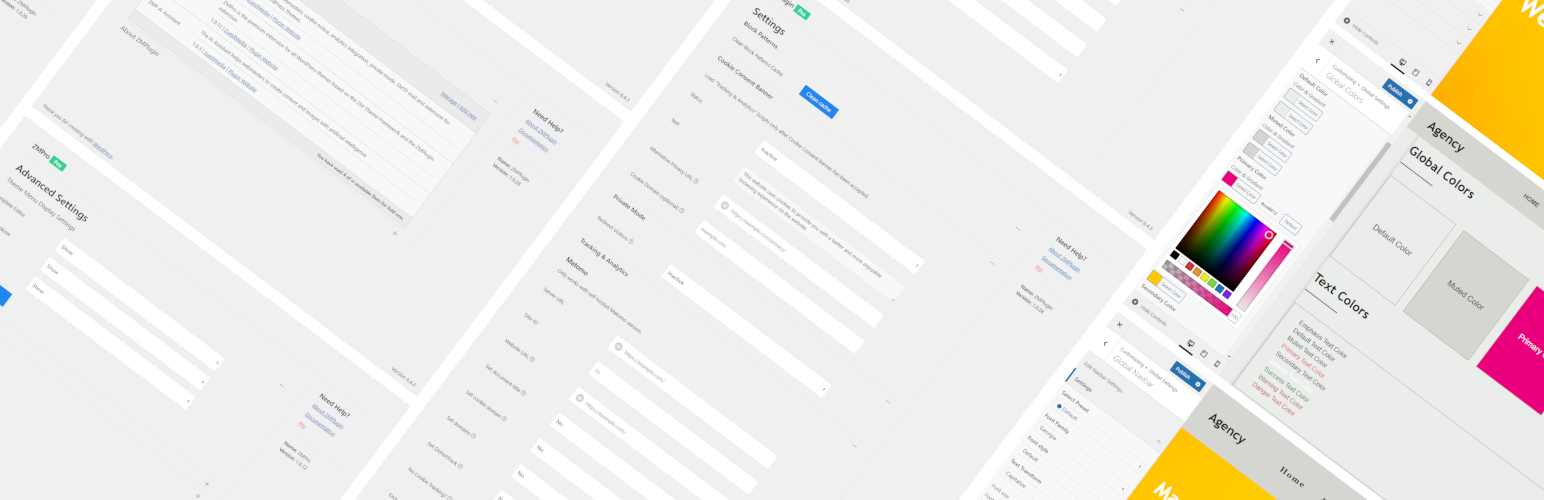
When used together with a ZuestMedia theme, ZMPlugin adds theme-specific features including additional theme settings, Customizer options, editable block templates and the Design Explorer for importing starter designs.
In addition to its theme companion features, ZMPlugin includes a collection of useful tools for everyday WordPress administration. These features can be used independently of a ZuestMedia theme, making ZMPlugin useful for any WordPress website.
Theme Companion for ZuestMedia Themes
ZMPlugin extends supported ZuestMedia themes with additional functionality and configuration options directly inside WordPress.
Theme companion features include:
- Theme-specific settings and options
- Additional Customizer settings
- Editable block templates
- Design Explorer with importable starter designs
- Additional theme-related functionality and integrations
These features are available when using a supported ZuestMedia theme such as Corporate or Modular.
Additional WordPress Tools
ZMPlugin also provides several useful features that work independently of ZuestMedia themes:
- Cookie consent banner
- Tracking script integration for GA4, Google Tag Manager and Matomo
- Private mode with redirection
- SMTP mail delivery
- Gutenberg block patterns
- WordPress dashboard customization
- WordPress login customization
This means you can also use ZMPlugin as a standalone plugin on other WordPress websites.
Theme Companion Features
Theme & Customizer Settings
When using a supported ZuestMedia WordPress theme, ZMPlugin adds additional settings and configuration options to the WordPress Dashboard and Customizer.
These settings extend the theme and provide additional possibilities for customizing the appearance and behavior of your website.
Block Templates
ZuestMedia themes can use block templates to display static and dynamic content.
ZMPlugin provides the functionality required to manage and edit these templates using the native WordPress block editor.
Design Explorer
The Design Explorer allows you to browse and import premade starter designs directly into WordPress.
Starter designs provide a convenient starting point for building a website with supported ZuestMedia themes.
Theme companion features are only available in combination with supported ZuestMedia themes such as Corporate or Modular.
Additional Plugin Features
The following features can be used independently of a ZuestMedia theme.
Cookie Consent Banner
Display a cookie consent banner and control when tracking scripts are loaded.
Tracking scripts configured through ZMPlugin can be prevented from loading until the visitor has given consent.
Tracking Script Integration
Integrate common analytics and tracking solutions without manually editing your theme files.
Supported integrations include:
- Google Analytics 4
- Google Tag Manager
- Matomo (self-hosted)
Tracking integrations can be combined with the ZMPlugin cookie consent banner.
Private Mode
Restrict public access to your WordPress website and redirect visitors to the WordPress login form or to a page of your choice.
Private Mode is useful for websites that are still under development, internal websites or temporary maintenance situations.
SMTP Mail
Configure WordPress to send emails through your own SMTP server.
SMTP settings apply to emails sent through wp_mail(), including WordPress system emails and compatible plugins such as Contact Form 7.
Block Patterns
Access a selection of pre-built block patterns that can be inserted directly into the WordPress block editor.
Block patterns provide reusable layouts and content structures that can be adapted to your website.
WordPress Dashboard Options
Customize selected elements of the WordPress administration area.
Available options include customization of the WordPress logo, help tabs and dashboard footer text.
WordPress Login Options
Customize selected elements of the WordPress login screen (wp-login.php).
Options include a custom login logo and configurable redirect behavior after login.
Who is ZMPlugin for?
ZMPlugin is primarily designed for websites using ZuestMedia WordPress themes.
It provides the companion functionality required to unlock additional theme settings, templates, starter designs and other theme-specific features.
However, you do not need to use a ZuestMedia theme to benefit from ZMPlugin. Features such as the cookie consent banner, analytics integrations, SMTP configuration, Private Mode, block patterns and WordPress administration options can also be used on other WordPress websites.
Resources
Learn more about ZuestMedia WordPress themes and plugins.
Additional premium functionality is available through ZMPro, a separately distributed premium extension for ZuestMedia themes and plugins.
For documentation and help, visit the ZMPlugin documentation.
You can also find ZuestMedia on GitHub.
The plugin uses the following third-party resources
- uikit CSS, JS, Icons Framework
License: MIT
Source: https://getuikit.com/
Copyright
ZMPlugin WordPress Plugin, Copyright 2023 zuestmedia.com
ZMPlugin is distributed under the terms of the GNU GPL
Screenshots


Faq
No.
ZMPlugin is the official companion plugin for supported ZuestMedia themes and provides additional theme-specific functionality when one of these themes is active.
However, many ZMPlugin features — including the cookie consent banner, analytics integrations, SMTP mail, Private Mode, block patterns and WordPress administration options — can also be used independently with other WordPress themes.
ZMPlugin provides companion functionality for the ZuestMedia Corporate and Modular WordPress themes.
In your WordPress Dashboard, navigate to Plugins > Add New and search for “ZMPlugin”.
Click “Install Now” and then activate the plugin.
Reviews
Changelog
2.1.2
- Update: tested up to WP 7.1
- Update: readme.txt description
- Fix: Translations textdomain
2.1.1
- Update: tested up to WP 6.9
- Fix: PHP Mailer from and fromname now with 2 separate filters, not anymore at phpmailer_init
2.1.0
- Update: Move ThemeImport to ZMTheme
2.0.3
- Fix: Add widgets_init im zmthemes modSidebar again and use action ‘init’ with prio 0 in zmplugin to start earlier
2.0.2
- Fix: Action loading order
2.0.1
- Fix: Load Namespaces zmp-admin early before themes are starting
2.0.0
- Update: tested up to 6.8
- Update: CSS & JS Framework UIKIT 3.23.12
- Fix: Dashboard Text validation (type: text) updated to accept all utf-8 characters incl. “Umlaute” (issue: The Plugin offers to change the wordpress message at the bottom of the dashboard. But it does not accept Umlauts… Is it UTF-8 ready? ) – Thanks to Cornelie
- Fix: action loading order: _load_textdomain_just_in_time; initialising later!
1.1.8
- Update: tested up to 6.7
1.1.7
- Fix: AllowDynamicProperties for advanced themesettings in services
1.1.6
- Update: View-Conditions for 404 Errorpage in Header and Footer Sections
1.1.5
- Update: navmenu preset rename to dropdown_navbar_nav, dropdowns always start with dropdown
1.1.4
- New: controll horizontal margin
- Update: controll vertical margin
- Update: UIKIT to 3.21.11
1.1.3
- Update: UIKIT to 3.21.9
- Fix: view condition option “all single posttypes” added
1.1.2
- Fix: moved getZMBlocksArray from zmpro/ThemeExport to zmplugin/ThemeImport, gave an error without zmpro installed when importing data in design explorer!!!
1.1.1
- New: Customizer Design Explorer & Pro Link
- Update: .pot file & translations
1.1.0
- Update: Less settings in simple mode (2)
- Update: All modes (1-4) available in free and pro version
- Update: Themesettings description
- Update: Design Explorer Cards
- Update: .pot file
- Fix: scrollspy to work with all types of html tags (div, article, …)
- New: Card helpers added padding options
1.0.36
- Fix: Autofocus values 1 or to -> zero did not work to set off
1.0.35
- Update: add revisions to block templates in zmthemes
- Update: readme tags
- Update: .pot file added
- Update: translations
1.0.34
- Update: Tested up to WP 6.6
1.0.33
- Fix: Dynamic properties warnings (https://php.watch/versions/8.2/dynamic-properties-deprecated#AllowDynamicProperties)
1.0.32
- Update: Matomo Script dns-prefetch & preconnect added to speed up loading times
1.0.31
- Update: UIKIT CSS & JS to 3.20.5
- New: Theme setting added to asign template modules by page_ids (view.php)
- New: Setting to exclude logged-in admin user from tracking
1.0.30
- Fix: Theme imports fix menu assign by slug
1.0.29
- Update: UIKIT CSS & JS to 3.18.3
- Fix: rest api requests up to 10 (now 100)…!
1.0.28
- Update: split files in months by default in addLogfileEntry & showLogfileEntries
1.0.27
- Update: Tested up to WordPress 6.4
- Update: UIKIT CSS & JS to 3.17.10
- Fix: UpdateAPI to wp
1.0.26
- Update: UIKIT CSS & JS to 3.16.26
- Update: readme description
1.0.25
- Update: readme tags, description
- Update: up to 3 extensions including zmplugin
- Update: Cookie Consent button text & translation
- Update: zmplugin dashboard manage and install links
- Update: sidebar docs link to zuestmedia docs
1.0.24
- New: Cookie consent domain setting, to use on main and subdomain same cookie consent
- Update: Readme text
- Update: Privacy Url to cookie consent from WP privacy setting or alt url from plugin settings
- Update: UIKIT CSS & JS to 3.16.21
1.0.23
- New: Settings for trackingscripts to depend on cookie consent or not
- Update: New translations for cookie-consent
- Update: cookie consent script and css
1.0.22
- New: Translations for CH & AT
- Update: add disableCookies option to Matomo script
- Fix: GA4 Tracking Script updated
1.0.21
- Update: matomo settings created
1.0.20
- New: added matomo tracker methods setting
1.0.19
- Update: CookieConsentBanner style and accessibility
1.0.18
- Update: Design API -> design_explorer_api & _free_post_tag_id / _pro_post_tag_id changed to https://design.zuestmedia.com
- Update: UIKIT CSS & JS to 3.16.19
1.0.17
- Update: View / display settings updated -> “hide if” view_status added
- Update: ActiveCallbacks for hide if view_conditions in customizer
- Fix: view_conditions bbpress lowercase because of slug validation!
1.0.16
- New: AJAX Post Loading controlls
- New: Mobile menu preset navbar_dropdown_nav
1.0.15
- Update: UIKIT CSS & JS to 3.16.17
- Fix: use posts_per_page instead of numberposts (works for all query types)
- Fix: is_smtp settings
1.0.14
- New: WP Mail send through SMTP settings added
1.0.13
- Update: prepared for PHP 9; defined all dynamic properties in classes (except themecustomizer settings and controls)
1.0.12
- Update UIKIT CSS & JS to 3.15.24
- Update: CI/CD Routines
1.0.11
- Fix: Validation “text” added ;:-
1.0.10
- Fix: Validation “str” dont use htmlspecialchars!
1.0.9
- Update: new function in PluginHelpers for addons -> registerExtensionCheck()
- Fix: added setting _css_type to AdminButtonRestore
1.0.8
- Update: showLogfileEntries file exists check added
1.0.7
- New: added methods addLogfileEntry & showLogfileEntries
1.0.6
- New: Custom CSS classes for background-img-size and background-pos
- New: WP_KSES settings added to CustomizerControlls / ThemeCustomizer
- Fix: Escaping all $variables in CustomizerControlls (wp_kses)
- Fix: Presets access_level auto = 3
- Removed: getRequiredPluginsTable
- Removed: Skewy
1.0.5
- New: new customizer controlls for imageoverlay size and wrap in articlecontainer
1.0.4
- New: ThemeHelper Class, Blockpatterns Class
- Update: UIKIT Version 3.15.14
- Update: Load Textdomain early
- Update: various controlls choices and preset settings
- Fix: Escaping CustomizerControlls and remove some unused controlls
- Fix: Order of Adminmenu Pages
- Fix: Readme Resources documentation url updated
- Fix: Translations of Cookie Consent Banner
1.0.3
- Fix: Plugin URI / Author URI
1.0.2
- Update: Tested up to: 6.1
- Fix: Validation – arrays checks for NULL now, (PHP Warning during saving themesettings)
1.0.1
- New: Moved BlockTemplates Custom Post Type from theme to plugin
- Update: readme.txt
- Update: Language Files de_DE
1.0.0
- Update: readme.txt
- Update: theme-settings-template documentation and pro link changed
- Added: new controlls – avatar_class, meta_subnav_attrs
- Added: controll choice – _element “main”
- Update: Services Free/Pro id
0.9.11
- Update: Presets some args not resetting anymore on preset Change
- Update: Presets postmeta choices
- Update: Presets sitelogo choices
- Update: UIKIT Version 3.15.10
- Update: Customizer Visibility Controll – tablet landscape
- New: Customizer Image Controll – align
0.9.10
- New: BlockPatterns API
- Removed: static BlockPatterns html
- Updated: Customizer Controlls Background Image and others
- Updated: Presets files created
0.9.9
- Update: Language Files
- Fix: Cookie Consent Banner Colors and Links/Button Hover
0.9.8
- Update: UIKIT Version 3.15.6
- Update: Presets CSSVars
- New: CSSType Settings
- Update: css_type import/export
- Update: customizer controlls
0.9.7
- Update: some Controlls & Validation – prepared for template-editor quickedit pro setting.
0.9.6
- Fix: Block Patterns check if folder exists (php error)
0.9.5
- Fix: Com-Type and Module labels fixed
0.9.4
- New: Block Templates (CPT)
- New: Block Patterns
- New: Color Presets
- Fix: Customizer controlls permissions
- Update: UIKIT updated to version 3.15.3
- Update: Themesettings Pages
- Update: Template Blocks – Widgets (blocks) confusion solved and renamed
- Update: Import/Export new fields – show_on_front, zm_blocks
- Update: Translation Files DE
0.9.3
- Update: ci/cd update
- Update: QueryTerm presets added and controll updated
- Update: added com_postmeta controll (no view_status settings without com_ file!)
0.9.2
- Update: Tested up to: 6.0.1
- Update: Descriptions optimized
- Update: UIKIT updated to Version 3.15.1
- Fix: hide template-editor sidebar in customizer
- Removed: Customizer controlls – multiselect & javascript
- Update: Added new dropdown-background-color css var setting
- Update: Security – escaping functions added to templates
- Update: Module Configs (uk-sticky, uk-navbar)
- Update: New Settings added: Tracking & Analytics, Cookie Consent Banner
- Update: New Settings added: WP Dashboard, WP Login Form
- Update: View Settings extended
- Update: Internationalization – added/updated translations
- Update: removed VersionNotice from config and Plugin
0.9.1
- Connected with ZM Update API
0.9.0
- Initial release of ZMPlugin